Multi-instance
Open a second, third and fourth Roblox client. RoAccount holds the singleton event the game uses to allow only one, so every account you own gets its own window.
RoAccount is a Windows account manager with an encrypted vault, one-click multi-instance launch, auto-rejoin and Discord alerts. Built for people who juggle more than one account.
Windows desktop app · Independent project, not affiliated with Roblox
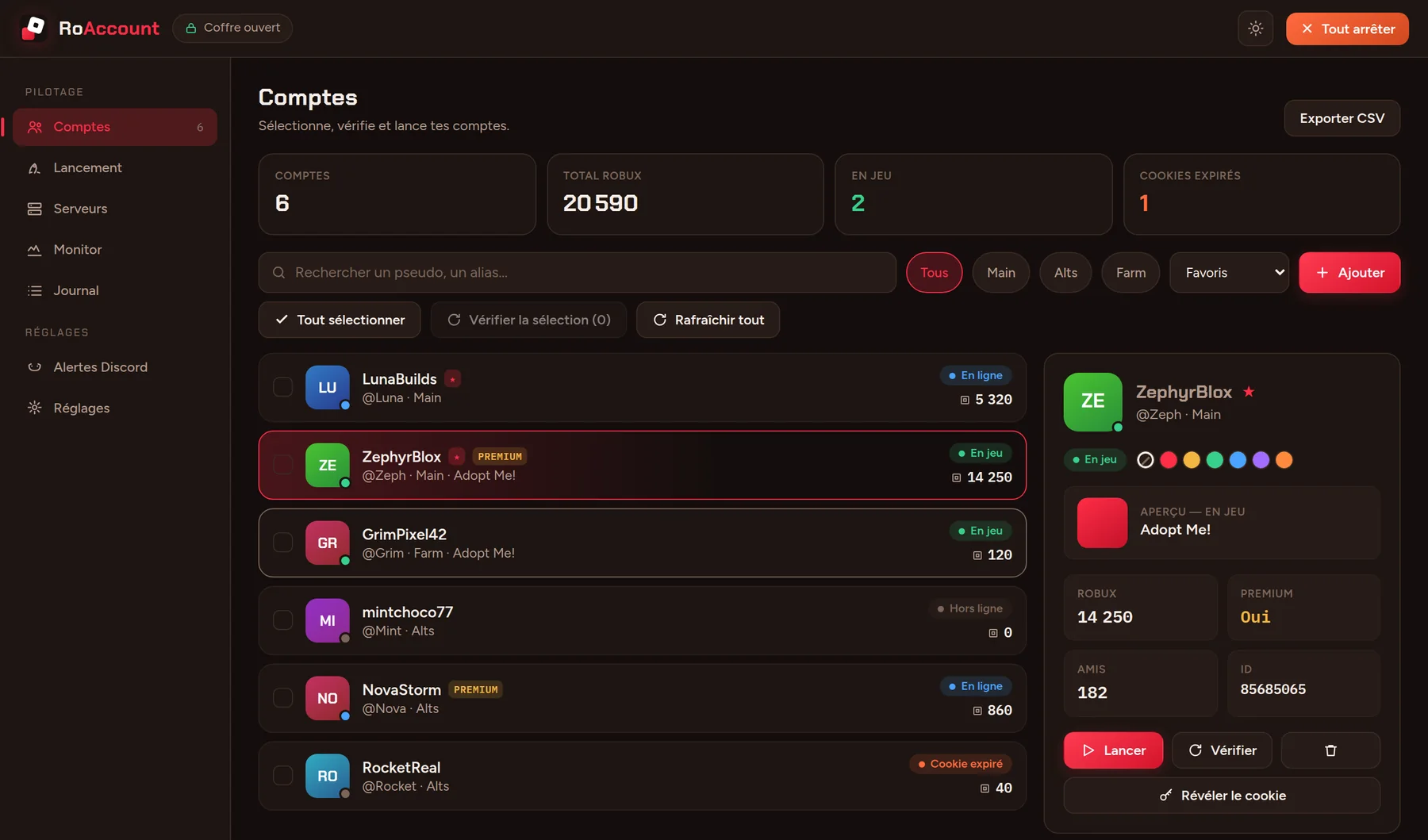
One window to add, check, launch and watch every account, with the boring parts handled for you.
Open a second, third and fourth Roblox client. RoAccount holds the singleton event the game uses to allow only one, so every account you own gets its own window.
Cookies are encrypted with Argon2id and AES-256-GCM behind your master password. Nothing is written in clear text.
A closed or disconnected client goes back into the game by itself.
Crashes, disconnects and finished batches land on your own webhook. No bot, no account.
Browse public servers and send an account into the one you pick.
Paste a game link or a place ID, launch one account or a whole batch, join a friend by @username, save launch profiles, and stop everything with one button.
See every running client with a live preview, arrange the windows in a grid and set the priority of each process. Back up the vault and export your accounts as CSV.
Roblox lets a PC run a single client. RoAccount takes that lock for you, so every account gets its own window. Flip the switch to see the difference.
Six accounts, six windows. Illustration with sample accounts.
Real screens from RoAccount, shown with sample data.
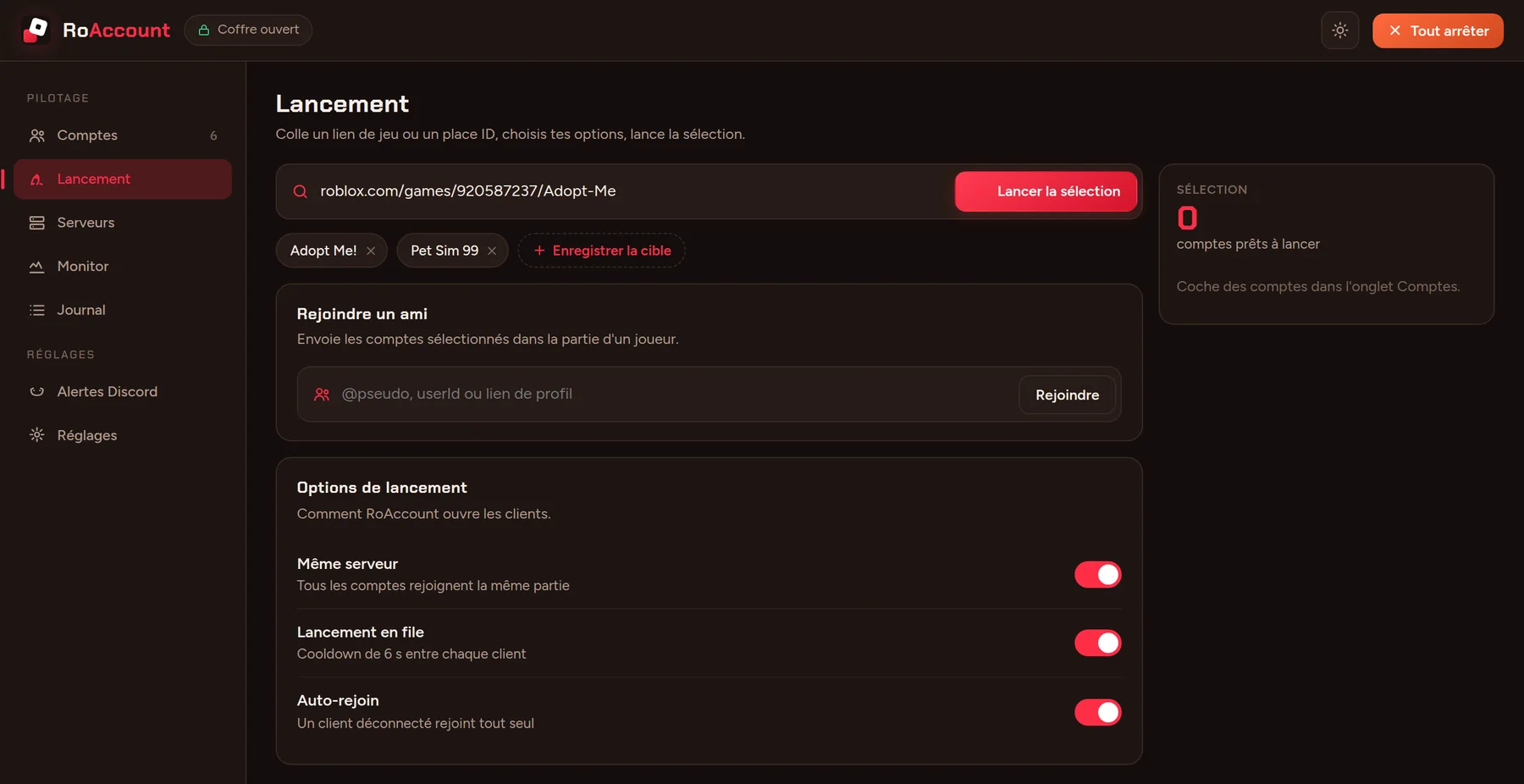
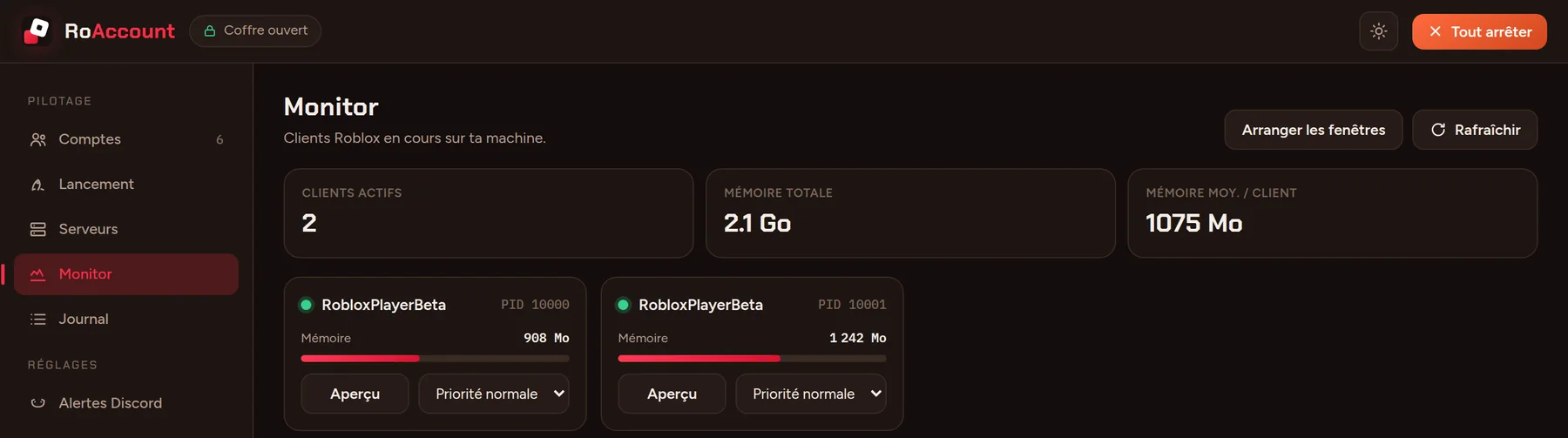
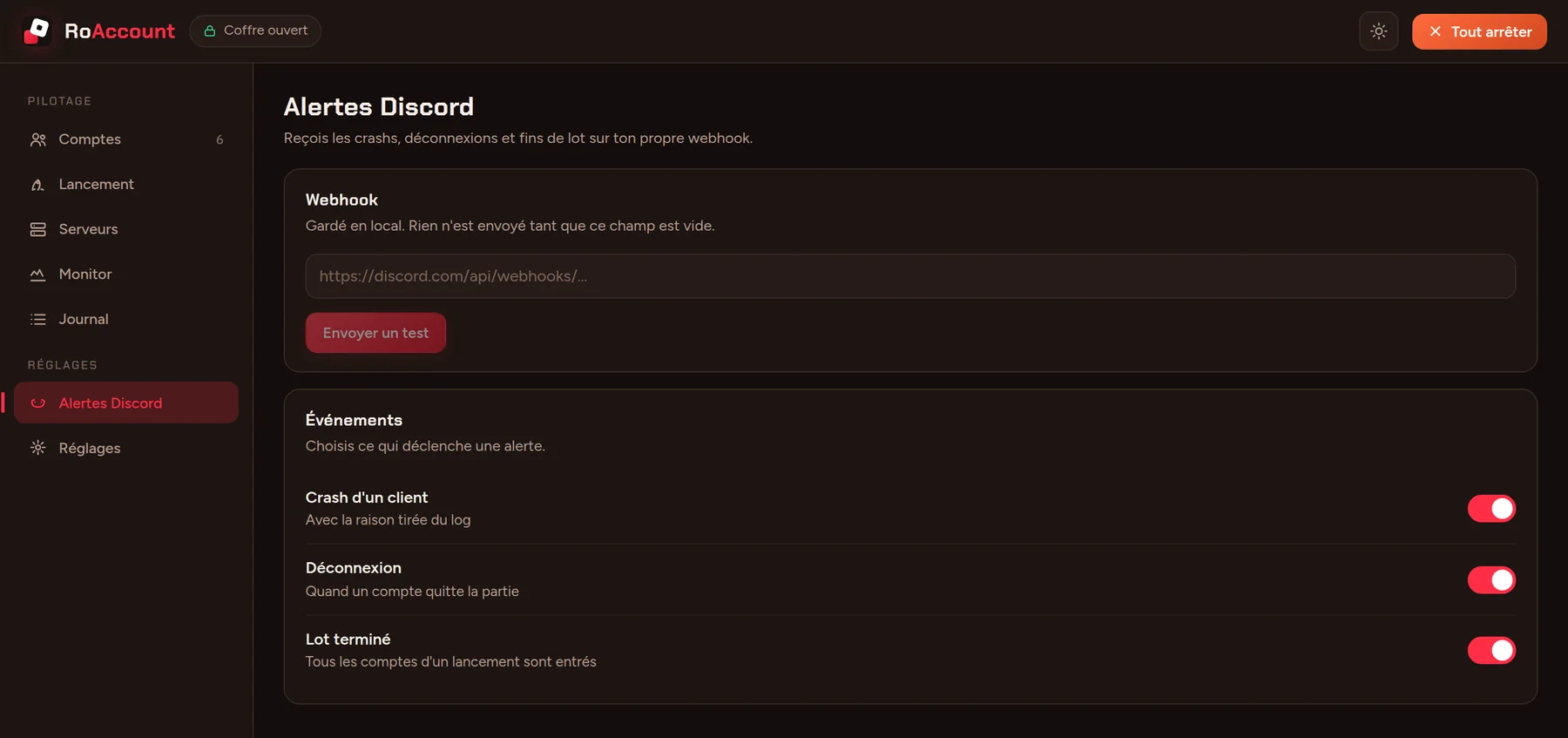
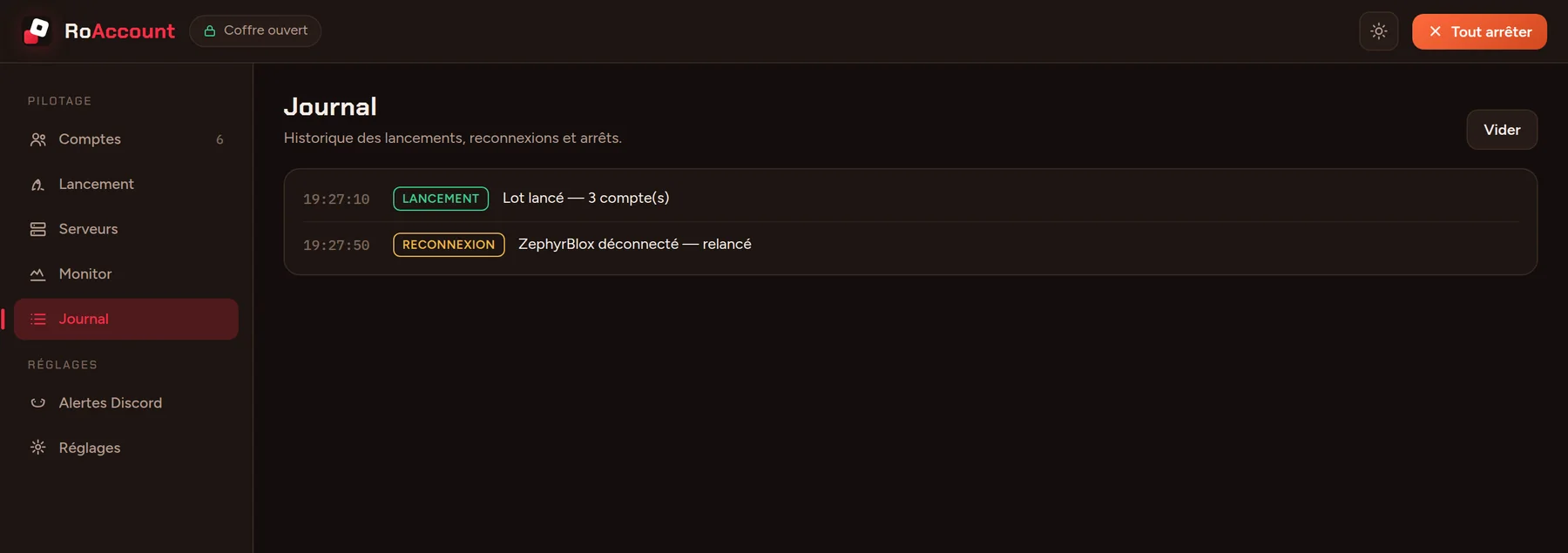
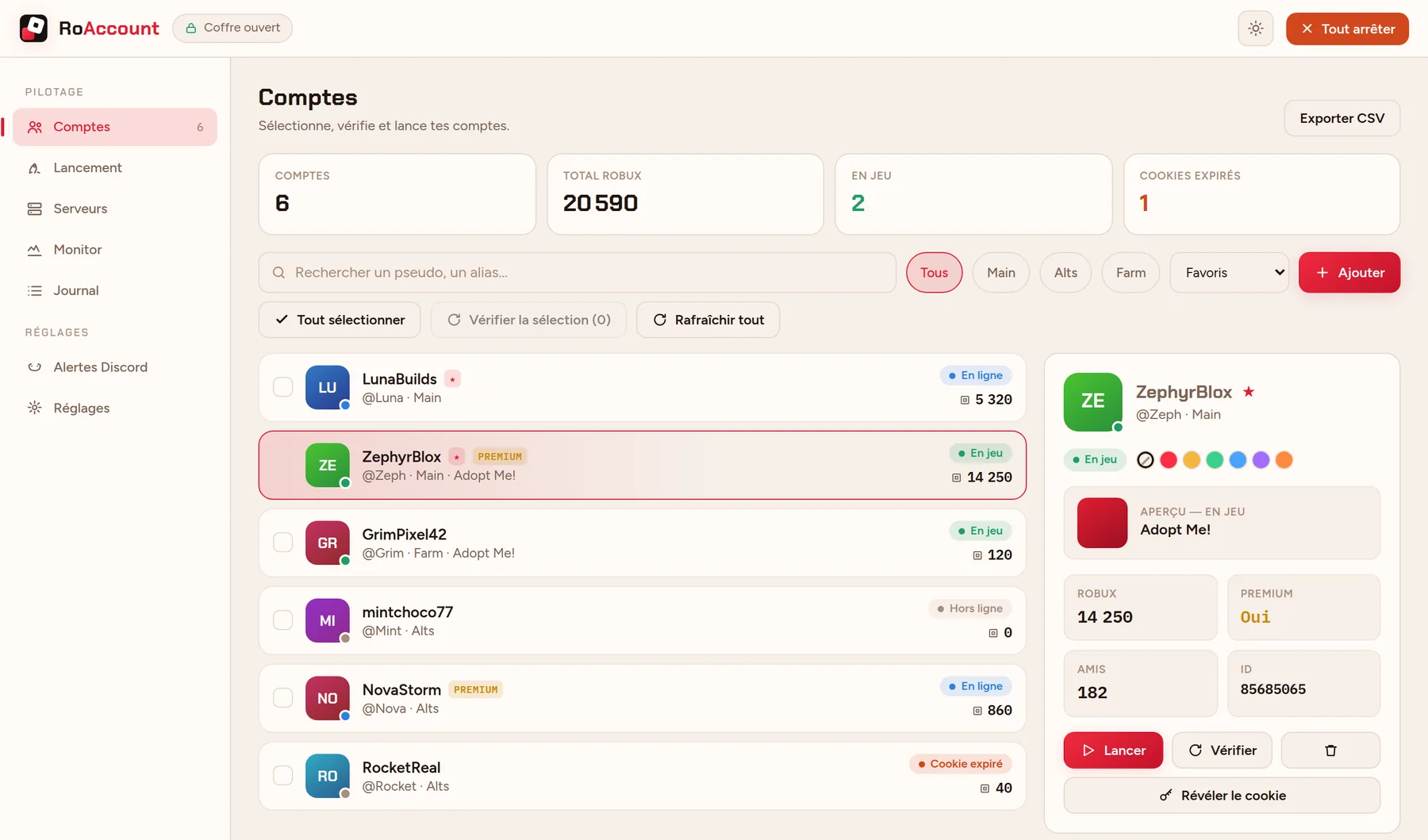
The app’s interface is in French for now. Screens show sample accounts, not real ones.
Pick a master password. It locks everything you add afterwards.
Paste each cookie. Roblox checks it, then it is encrypted on your disk.
Drop a game link or place ID and start one account or a whole batch.
If a client drops, it rejoins and pings your Discord webhook.
RoAccount runs locally. Your accounts live in an encrypted vault on your PC and the app only talks to Roblox’s own APIs. The project is on GitHub, so you can read the code. Only download it from the links on this site, and never share your cookie or vault file with anyone.
On your machine only, encrypted with Argon2id and AES-256-GCM behind your master password. They are never written in clear text and never uploaded anywhere.
RoAccount is an independent project and is not affiliated with Roblox. It manages your accounts and starts clients through Roblox’s normal launch flow, but nobody can promise how Roblox will treat it. Use it only on accounts you own, and at your own risk.
No. RoAccount is a Windows desktop app, because multi-instance and the window tools rely on Windows features.
It cannot be recovered, by design: nobody, including us, can open your vault without it. Restore a backup you remember the password for, or create a new vault and add your accounts again.
Roblox updates can break launchers for a while. Update RoAccount to the latest release, check the status in our Discord with /status, and open a ticket if it keeps failing.
Grab RoAccount from GitHub, and join the Discord for updates, help and the community.